


ZoomOn Home Security Camera
4.2309.00 Reviews
App Specs
- Version
- 5.42
- Updated On
- License
- Free
- Downloads
- 1,000,000+
- Developer
- Master App Solutions
- Categories
- House & Home
- Platform
- Android, iOS
Screenshots
 Analysis by AppCompare
Before I turn an old phone into a home camera, I ask a simple question: do I need a flexible way to check a room, or do I need a dependable security system? ZoomOn Home Security Camera is aimed at the first kind of need, using a phone as a camera rather than asking you to buy a dedicated device. That can be appealing for a quick, low-cost setup, but it also makes the spare phone itself part of the decision.
What the price does—and doesn’t—tell you
ZoomOn is free to install, which makes it easy to try before committing to a camera setup. The app also offers in-app purchases, with listed items ranging from $0.49 to $74.99 each. Those prices are not the same as a single required purchase, so I would check what a particular paid option includes before deciding whether it is worthwhile. The sensible starting point is to test the free access with the phones and network you already have.
The app is made by Master App Solutions and sits in the house-and-home category. It has an average rating of 4.1 from around 11,000 ratings, with roughly 300 written reviews and over 1 million installs. It is rated for Everyone, and version 5.37 requires Android 8.0 or later. Those details give a quick sense of its reach and compatibility, but they do not tell me whether it will suit every home or phone; a short, practical trial is still the best way to judge that.
Where a spare-phone camera can be useful
The core appeal is straightforward: reuse a phone you no longer carry and check a space remotely, rather than immediately buying a separate camera. For a small apartment, a temporary setup in a room, or a quick look at what a pet is doing while you step out, that can be a useful starting point. I would treat it as a convenient extra set of eyes, not automatically as a replacement for a purpose-built security system.
A practical way to test the idea is to place the spare phone where it has a clear view of the area you care about, then check the live view from the phone you normally carry. Try the arrangement at the times you would actually rely on it, including when you are away from home, rather than judging it only while both devices are nearby. That simple check helps reveal whether the camera position, connection and viewing routine work for your home.
Trade-offs before you rely on it
Repurposing a phone avoids buying a camera up front, but it does not make the setup cost-free in every practical sense. The old handset needs to remain available as the camera, and you will need to choose a stable place for it and keep it ready for the job. If you depend on that phone as a backup device, using it this way may be inconvenient. A dedicated camera is often a better fit when you want hardware intended to stay in one place.
Security use also calls for realistic expectations. A phone-based camera is only useful when its view covers the area you want to monitor and the connection is working when you need to check in. I would test those basics before relying on it for an important absence. If you need a system designed around continuous monitoring, a dedicated home camera may be the more appropriate choice; if you only want occasional remote checks, reusing a spare device may be enough.
Worth Reading Before You Choose

EA SPORTS FC Mobile 26 Is a Bigger Football Game, but It Takes Time

Flipboard Shows What News Apps Must Do Beyond the Feed

Switching to Android Auto Means Rethinking Your Driving Routine

Google Calendar Makes a Crowded Week Easier to Manage

Ludo King Makes the Most of the Minutes Between Plans

Baby Panda World Brings Quick Play to Modern Phones, but Its Game Library Feels Busy
Getting Started with ZoomOn
First off, setting up ZoomOn Home Security Camera was a breeze. The app is available on both Android and iOS, and downloading it was quick and painless. Once I installed it, the interface guided me through the setup process. It's really user-friendly, so even if you're not tech-savvy, you won't have any trouble getting started.
Features that Stand Out
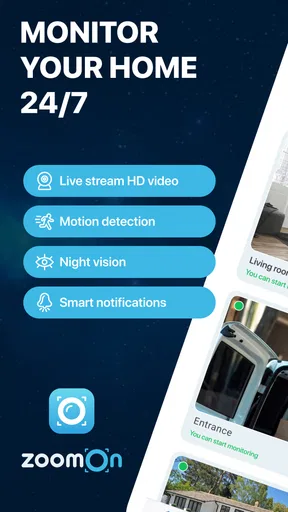
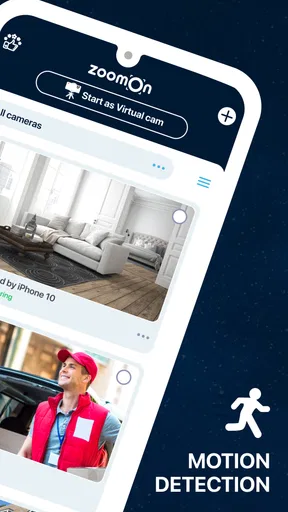
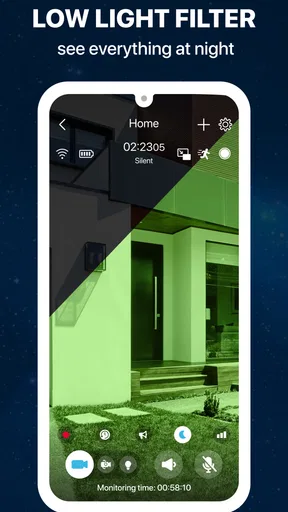
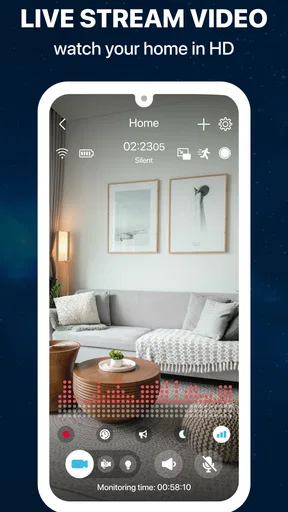
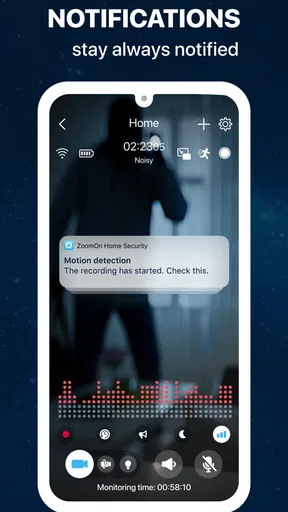
Now, let's dive into the features that make this app a standout choice for home security. ZoomOn offers real-time monitoring, allowing you to keep an eye on your home from anywhere. The video quality is surprisingly good, and it even performs well in low-light conditions. You can set up motion detection alerts, so you'll receive a notification if anything unusual happens.
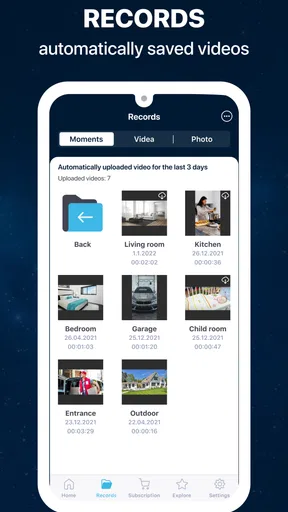
One of my favorite features is the two-way audio. It's like having a virtual intercom system. Whether you want to check in on your pets or let a delivery person know you're not home, this feature is super handy. And for those concerned about privacy, the app provides secure cloud storage options, ensuring your footage is safely backed up.
For a useful test, I would not begin by pointing the phone at an entire room and hoping every alert will be meaningful. Pick one specific area—such as the doorway a pet tends to approach—and adjust the phone’s position until the view is useful. Then consider whether motion alerts help you notice something important or simply create noise during normal activity. A narrower, deliberate camera view can make a phone-based setup easier to interpret.
The audio feature is most helpful when you have a clear reason to speak through the camera, such as checking in with a pet or responding to someone at the door. It is less useful if the phone is placed too far away for a conversation or in a spot where you would not want to use its microphone. I would try both listening and speaking from the usual viewing device before counting on it as an intercom.
Performance and Reliability
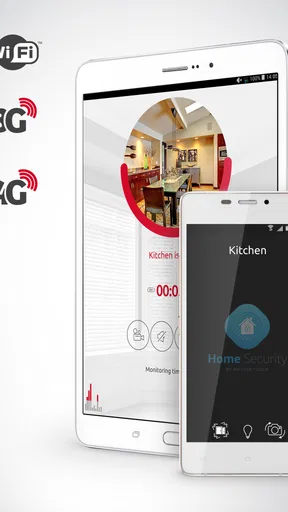
In terms of performance, ZoomOn really impressed me. I tested it on both Wi-Fi and mobile data, and the streaming was smooth with minimal lag. The app runs seamlessly in the background, so it won't drain your battery or hog your data.
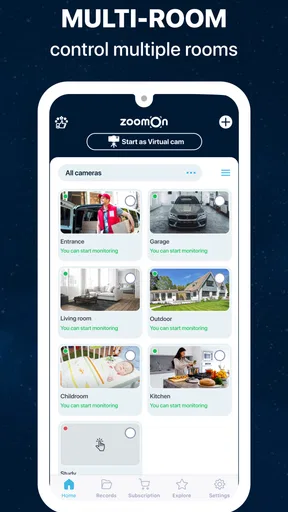
It's also worth mentioning that the app supports multiple cameras. So, if you have a few old phones lying around, you can create a full-fledged security system without spending a fortune. The app also integrates well with smart home devices, adding another layer of convenience.
With more than one camera, I would add devices gradually rather than setting several up at once. Start with the room that matters most, verify that you can return to its view when away, and only then decide whether another old phone adds useful coverage. This avoids turning a simple experiment into a collection of camera feeds that is harder to keep organised. It also gives you a fairer sense of whether the arrangement is worth maintaining.
Compared with the usual alternatives, ZoomOn’s distinctive trade-off is that the camera hardware is a phone you already own. A dedicated indoor camera is the more natural choice if you want a device whose sole job is monitoring; a basic baby monitor may make more sense when you need a purpose-specific setup for one room. ZoomOn is appealing when flexibility and reuse matter more than having a dedicated piece of equipment, but it is not automatically the strongest choice for every monitoring need.
User Experience
Using the app day-to-day is pretty straightforward. The interface is clean and intuitive, and navigating through the different settings and features is a cinch. The developers have done a great job of keeping things simple without sacrificing functionality.
Plus, the app is regularly updated with new features and improvements. It's clear that the developers are committed to refining the user experience. There’s also a helpful FAQ section and customer support for any issues you might encounter.
One everyday example is leaving a pet at home while you run a short errand. I would set the camera phone where it can see the pet’s usual resting area, open the live view once before leaving, and check that an alert—if enabled—would be useful rather than distracting. If the pet spends most of the time outside that frame, moving the camera may matter more than adding another device. This kind of small trial helps establish whether the setup suits your routine.
People often wonder whether a spare phone can simply be left in place indefinitely. I would not assume that without testing the particular handset and its setup over the periods you need it; check that the view remains available and that the device is still ready when you want to look in. The practical answer is to treat the first use as a trial, not to make the camera your only safeguard before you know how it behaves in your home.
Who is likely to get value
I can see this working best for someone who already has an unused phone, wants occasional remote checks, and is comfortable experimenting with camera placement. It can also suit a renter who wants a portable option they can move between rooms or take along when changing homes. The free entry point makes that trial less of a commitment, while the paid items mean I would compare the specific purchase with the benefit I expect before spending.
I would skip it if you need a dedicated, always-ready security device, if the spare phone has another important job, or if you do not want to manage a phone as a stationary camera. It is also not the right answer just because a camera app sounds cheaper: if your priority is a purpose-built monitoring setup, compare dedicated equipment instead. The useful question is not whether a phone can show a room, but whether this arrangement fits the level of confidence and convenience you need.
My verdict on trying it
Overall, ZoomOn Home Security Camera is an excellent solution for anyone looking to enhance their home security without breaking the bank. The app’s ease of use, combined with its robust feature set, makes it a top pick in the home security app category.
So, if you have a spare phone and want to keep an eye on your home, give ZoomOn a try. It's like having peace of mind in your pocket, and who wouldn't want that?
My recommendation is to start with one camera phone and a low-stakes use, such as checking a pet’s usual spot or seeing whether a room is occupied. Confirm that the live view is useful from your normal device, decide whether alerts help, and only then consider paying for an item or adding more cameras. That approach keeps the free trial practical and makes the trade-off clear: ZoomOn can make an old phone useful, but the value depends on whether its phone-based setup fits your everyday needs.
Pros
- Easy to set up and use.
- High-quality video streaming.
- Real-time alerts and notifications.
- Two-way audio communication.
- Supports multiple devices.
Cons
- Requires constant internet connection.
- Limited features on free version.
- Can drain battery quickly.
- Occasional connectivity issues.
- Subscription needed for cloud storage.
FAQs for ZoomOn Home Security Camera
What are the key features of ZoomOn Home Security Camera?
ZoomOn Home Security Camera provides real-time video monitoring, motion detection alerts, and night vision capabilities. It supports two-way audio, allowing you to communicate with individuals on the other end. The app also offers cloud storage options for recorded footage, ensuring that your data is secure and accessible anytime.
Is ZoomOn Home Security Camera compatible with all devices?
The app is compatible with most Android and iOS devices. Ensure your device meets the minimum operating system requirements for optimal performance. Additionally, the app supports integration with various smart home systems, enhancing its versatility and functionality across different platforms.
How secure is my data with ZoomOn Home Security Camera?
Security is a top priority with ZoomOn Home Security Camera. The app uses encryption protocols to protect your video streams and stored footage. It also offers secure cloud storage options. Always ensure your app is updated to the latest version to benefit from enhanced security features and improvements.
Does ZoomOn Home Security Camera require a subscription?
While the app offers a free version with basic features, advanced functionalities like extended cloud storage and premium customer support may require a subscription. Users can choose from different plans based on their needs, allowing flexibility in how they manage their home security.
How user-friendly is ZoomOn Home Security Camera for beginners?
ZoomOn Home Security Camera is designed with a user-friendly interface, making it accessible for beginners. The setup process is straightforward, with step-by-step instructions. The app's intuitive controls and clear layout ensure that users can easily navigate and utilize its features without any technical expertise.


